Managing Your Subscription
Flux subscriptions are managed through Stripe. You can upgrade, downgrade, or cancel from your settings page at any time.
How It Works
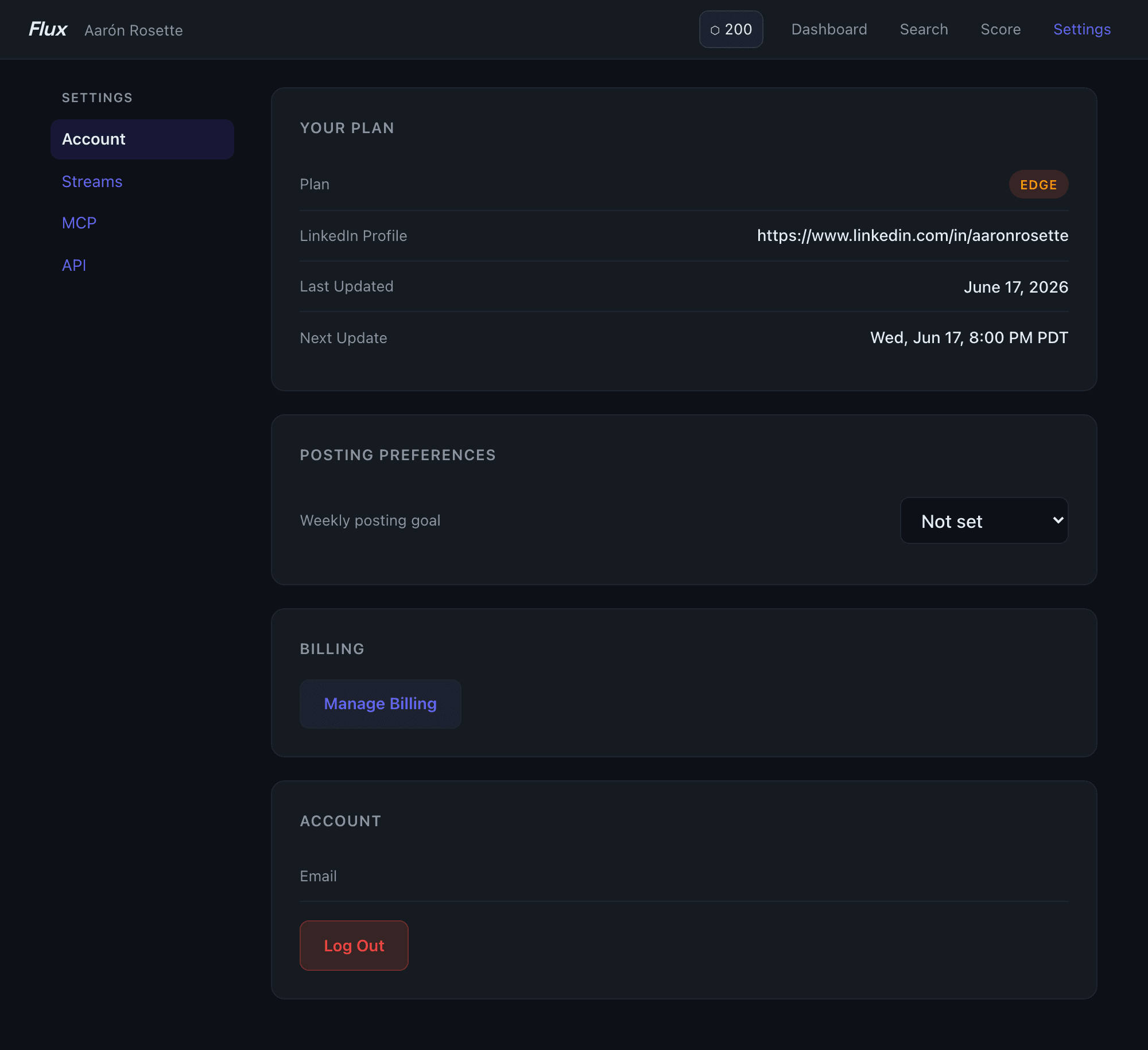
Go to Settings in the app. The Your Plan section shows your current plan, the LinkedIn profile being tracked, when your data was last refreshed, and when the next automatic refresh is scheduled.
Below that, the Billing section has a Manage Billing button. Clicking it opens the Stripe customer portal in the same tab, where you can update your payment method, view invoices, change your billing interval, or cancel.
If you're on Snapshot or Pulse, upgrade cards appear between your plan details and the billing button.
Upgrading
Snapshot or Pulse → Edge: Click the Upgrade to Edge card. If you're already on Pulse, a confirmation dialog appears first showing the proration breakdown — unused Pulse time is credited against your first Edge invoice. Confirm to apply the upgrade immediately; no checkout flow, no new card entry required.
Snapshot → Pulse: Click Upgrade for $30/year. You're redirected to Stripe Checkout to complete payment.
After upgrading, your data carries over and your dashboard reflects the new plan immediately.
Cancelling
Open the Stripe billing portal via Settings → Manage Billing. From there you can cancel your subscription. After cancellation, your dashboard remains accessible with data as of your last update — Flux does not delete your data when you cancel.
Changing Billing Interval
Monthly and annual billing are both available for Pulse and Edge. Switch intervals from the Stripe portal. Annual billing saves up to 50% (Pulse) versus monthly.
Refunds
If Flux can't pull your data (private profile, restricted visibility), you're refunded automatically. For any other reason, contact support within 7 days of your charge for a full refund.
The Manage Billing button only appears if you have an active Stripe subscription. If you signed up via a gifted or comped account, contact support for billing changes.
See current plans and pricing →