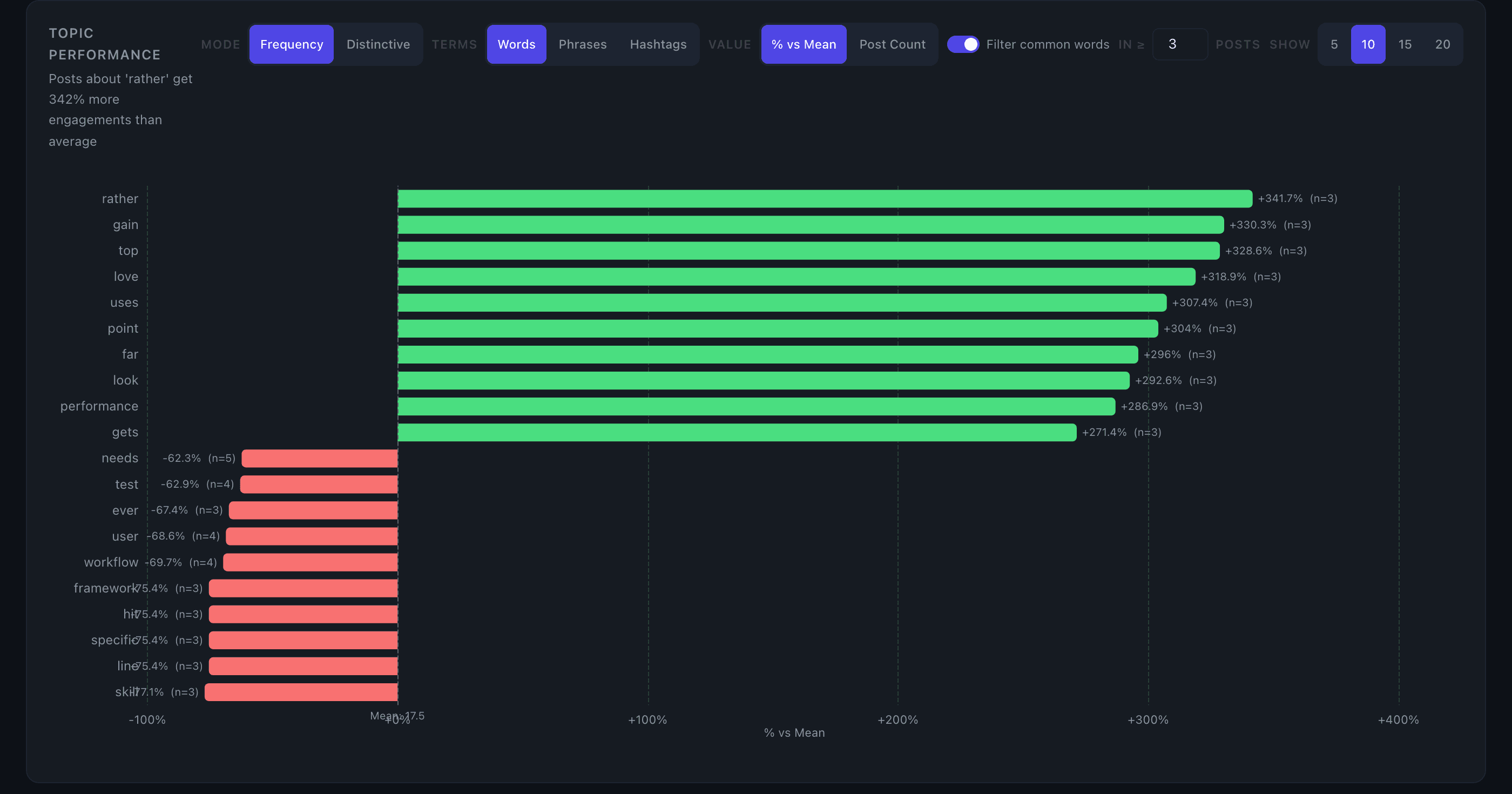
Topic Clustering
Topic Clustering groups your posts by recurring words or phrases and shows how each topic performs relative to your average engagement.
What you see
A horizontal bar chart where each bar represents a topic — a word or 2-word phrase extracted from your post text. Bars extend right (green) for topics that outperform your mean and left (red) for topics that underperform. Each bar shows the percentage difference from your mean and the number of posts in that topic.
Hovering a bar shows the topic's average engagement value, post count, and percentage difference. Clicking a bar filters the Top Posts table to that topic.
Controls
Terms — Switch between Words (single terms) and Phrases (2-word combinations). Phrases often surface clearer themes like "supply chain" or "product launch" that single words miss.
Mode — Two ranking modes:
- Frequency (default): ranks topics by how much their average engagement differs from your overall mean. Best for finding your highest- and lowest-performing subjects.
- Distinctive: uses a TF-IDF-style score to surface terms that appear disproportionately in your top-quartile posts versus your bottom-quartile posts. Use this to find topics that actually correlate with your best work, not just topics where you happen to have one strong post.
Min posts — Sets the minimum number of posts a topic must appear in to be included. Default is 3; range is 2–50. Raise it to focus on patterns that repeat consistently.
Show count — Controls how many topics appear. The chart always shows the top N and bottom N, so you can see both your best and weakest themes at a glance.
Filter stopwords — On by default. Removes common function words (articles, prepositions, pronouns) so only meaningful terms appear.
How topics are derived
Topics come entirely from your post text — no manual tagging required. The text is lowercased, stripped of URLs, and split into tokens of 3+ characters. Stopwords are filtered when the toggle is on. Each unique term (or bigram) that appears across at least the minimum number of posts becomes a topic row.
Original posts only: reposts and quote posts are excluded.
Tips
- Start with Phrases mode to get cleaner, more readable topic labels before switching to words for finer-grained analysis.
- If you use hashtags consistently, those hashtags surface as strong single-word topics — they're good signal for theme performance.
- Distinctive mode is most useful once you have 50+ posts. With smaller datasets, the top/bottom quartile split is too small to be reliable.
- Click a bar to instantly see which posts drove that topic's score in Top Posts.