Score My Post
EdgeScore My Post predicts how a draft will perform relative to your own posting history before you publish it.
How it works
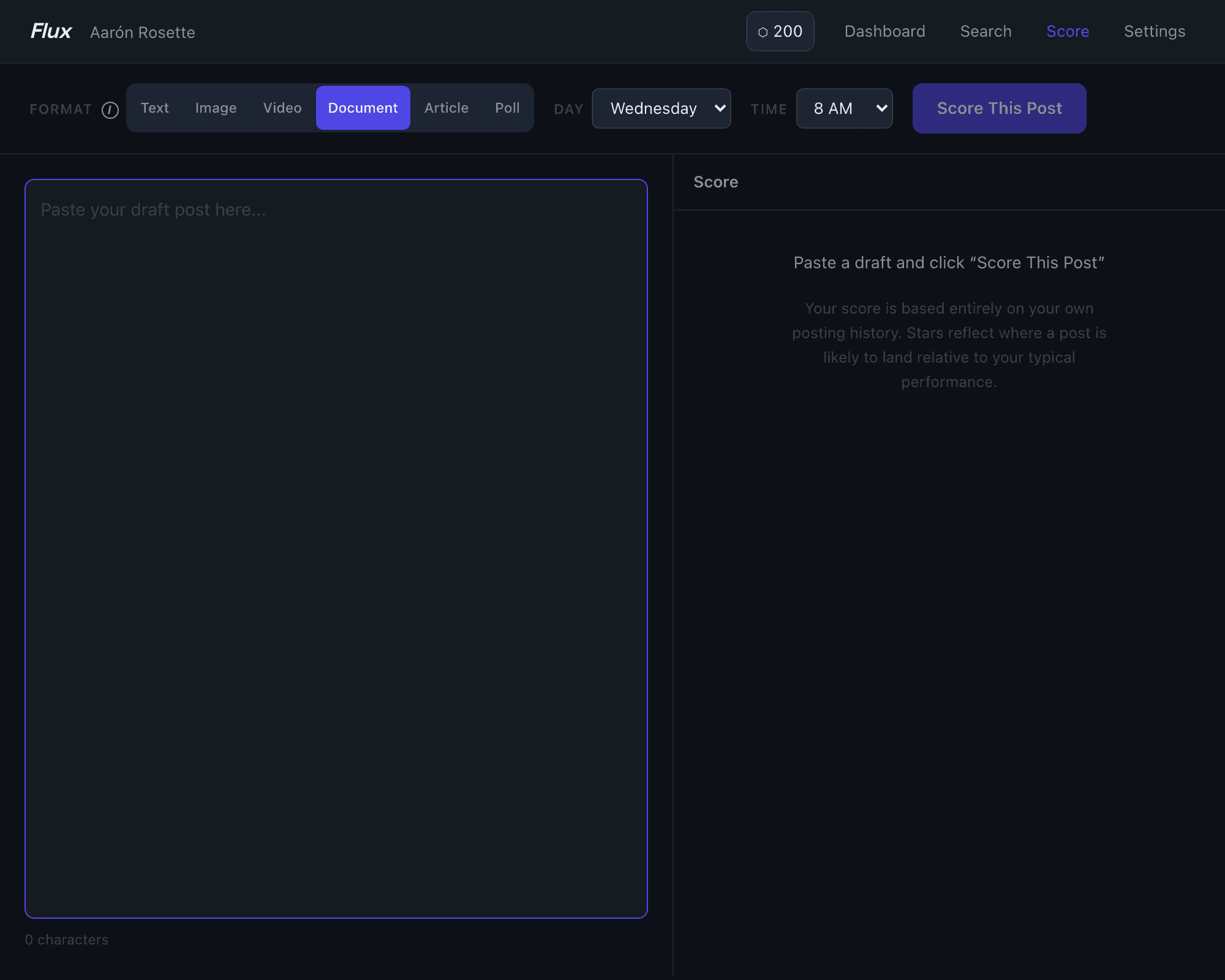
Navigate to the Score page, paste your draft into the compose area, select the post format and day you plan to publish, then click Score This Post. The model runs entirely in your browser — there is no server round-trip — and returns a result in seconds.
The score is expressed as a star rating (1–4 stars) calibrated against your own posts, not a generic LinkedIn benchmark:
| Stars | Label | What it means |
|---|---|---|
| ★★★★ | Expect a hit | Top 25% for you |
| ★★★ | Above average | Top 50% for you |
| ★★ | Typical | Middle range for you |
| ★ | Below your usual | Bottom 25% for you |
Along with the star rating you get a breakdown of the factors driving the prediction up or down — format, day of week, length, hashtag count, and others — so you can see specifically what is working for or against this draft.
Key details
Format has the biggest single impact on predicted performance. Make sure the format pill you select (Text, Image, Video, Document, Article, Poll) matches what you actually plan to post.
Day defaults to today's day of the week. Change it to the day you plan to publish if you are scoring in advance.
Minimum post history — the model requires at least 50 posts to generate a prediction. If you have fewer, you will see a message to keep posting and check back.
The model is trained on your last ~200 posts. Scores reflect your audience's behavior, so a "4 stars" here means this draft is likely to be a top-quartile post for you — not compared to LinkedIn at large.
Score My Post is also available as an MCP tool if you use MCP / API access. You can score drafts from inside Claude, Cursor, or any MCP-compatible client without opening the dashboard.
Tips
- Score the same draft with different formats to see how much format alone shifts the prediction.
- If a draft scores low, the factor breakdown usually shows the biggest drag — a short text-only post from an author whose audience responds to documents, for example, will show format as a negative factor.
- The score resets each time you click Score This Post, so you can iterate on the draft in place and re-score as many times as you like.
Learn more about Score My Post →