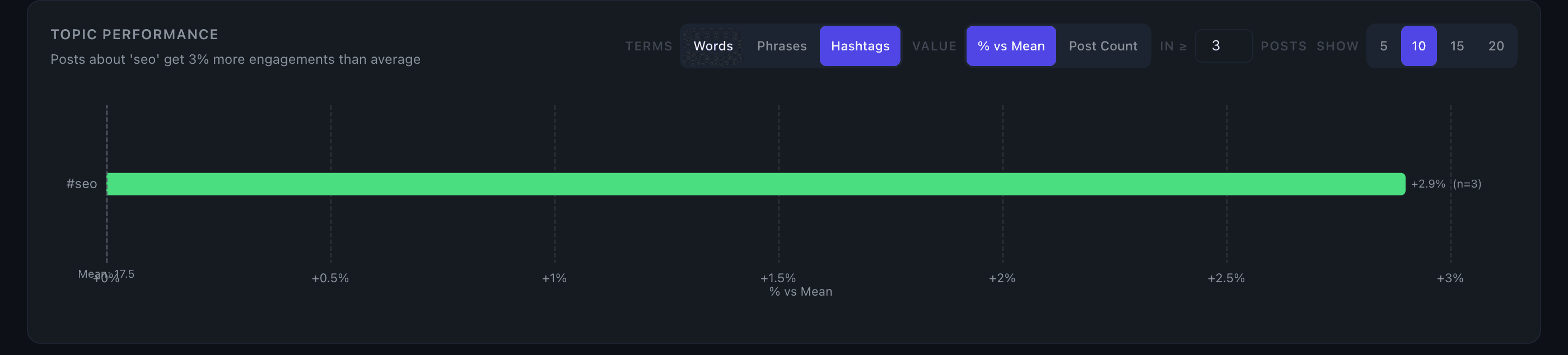
Hashtag Performance
The Hashtag Performance table shows which hashtags you've used most and how each one correlates with engagement on your posts.
How it works
The table lists up to 20 hashtags ranked by average engagement, showing:
- Hashtag — normalized to lowercase, so
#LinkedInand#linkedincount as the same tag - Times Used — how often you've used it within the selected date range
- Avg Engagement — the average total engagement (likes + comments + shares) across posts that include that hashtag
Only hashtags you've used at least twice in the selected range appear in the table. Reposts and quote posts are excluded.
The top insight line summarizes the best-performing hashtag — for example: "#supplychain averages 84 engagement across 6 uses."
Filtering to matching posts
Click any row to filter the Top Posts table to show only posts containing that hashtag. This lets you see exactly which posts drove that hashtag's average up or down.
Key details
- Minimum threshold: a hashtag must appear in at least 2 posts to show up — single-use tags don't have enough signal to be meaningful
- Ranked by average engagement: the highest-performing hashtag is at the top, not the most frequently used one
- Date range aware: the table respects the current time controls — switch date ranges to see how hashtag performance shifts over time
- Empty state: if no hashtags meet the 2-use minimum in the selected range, the table shows a notice and no rows appear
Tips
The ranking is by average engagement, not frequency. A hashtag you've used 3 times with strong results will rank above one you've used 20 times with middling results — which is the signal you actually want.
If you rarely use hashtags, that's noted in the section. Hashtags have less impact on LinkedIn reach than they once did, so their absence isn't a problem.
Use the date range controls to compare hashtag performance across different time periods — useful for spotting whether a hashtag's effectiveness has changed.