MCP / API Access
EdgeMCP / API Access gives you a personal MCP server endpoint and API keys so you can pipe your Flux data into AI agents, BI tools, and custom automations — without copying anything out of the dashboard.
How it works
Go to Settings → MCP to generate an MCP key, or Settings → API to generate a BI / Data key. Both key types are scoped to your account and can be revoked at any time.
MCP (AI agents): Connect Claude, Cursor, Zed, or any MCP-compatible client to https://fluxgraph.app/mcp. The settings page shows ready-to-paste config snippets for Claude Code (CLI), Claude Desktop, and .mcp.json. Once connected, your agent can call Flux tools conversationally — no copy-paste, no screen-scraping.
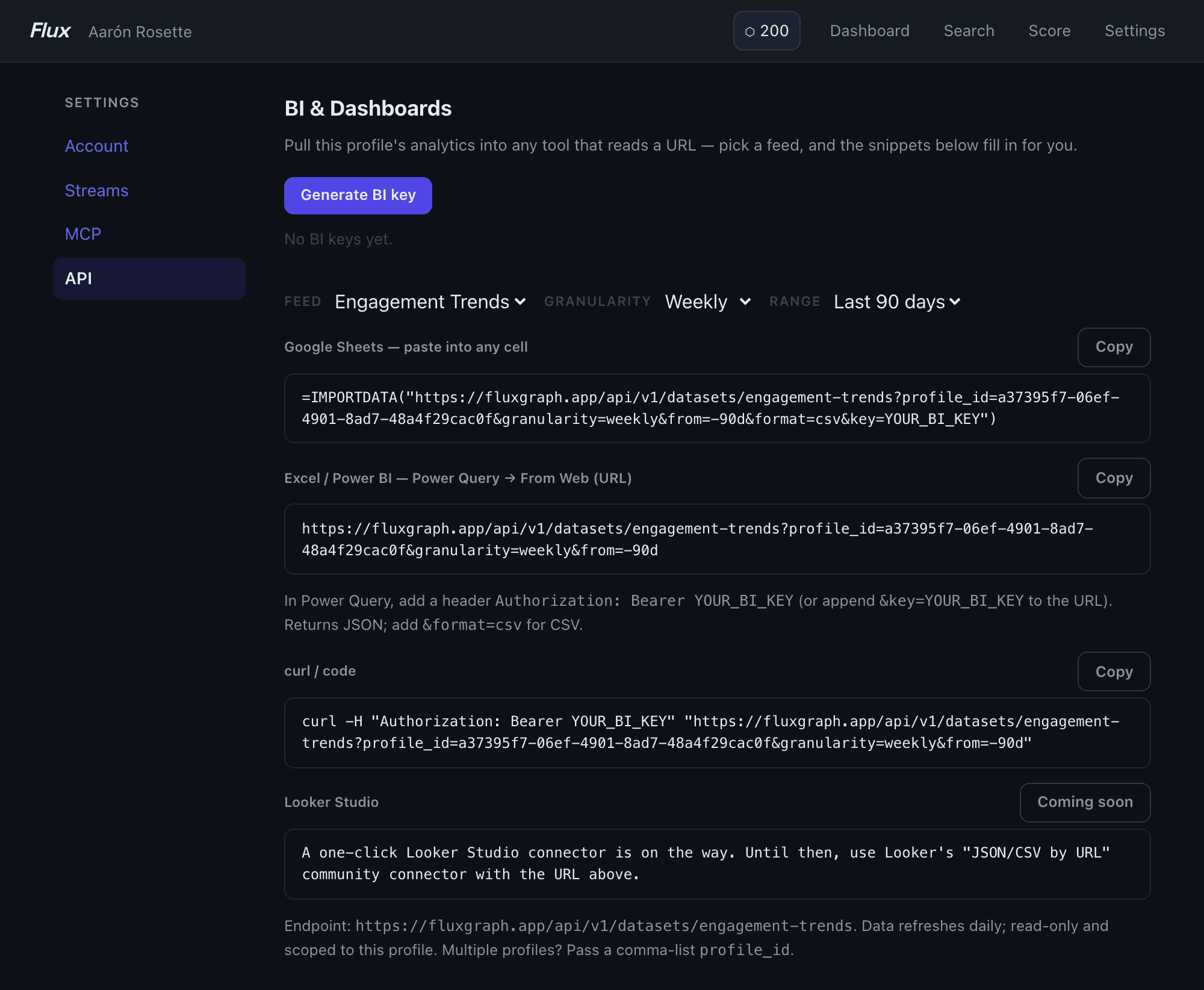
Data API (BI tools): Pull analytics feeds into Google Sheets, Excel / Power BI, or any tool that reads a URL. The settings page shows a live-generated IMPORTDATA formula for Sheets, a Power Query URL for Excel/Power BI, and a curl snippet. Pick a feed (e.g. Engagement Trends, Posting Insights), set the date range, and the snippets update automatically.
MCP tools
The MCP server exposes the full Flux toolset to your agent:
- Profile & posts —
get_profile_summary,get_posts,get_posting_insights,get_engagement_trends,get_topic_insights - Prospect research —
get_engagement_brief,get_target_warmth_brief,get_outreach_path,get_outreach_queue,get_profile_summaryon any tracked profile - Engager data —
get_post_engagers_by_company,get_post_set_engagers,get_alumni_engagers,get_company_engagement_overlap - Post scoring —
score_draft,suggest_angles,find_similar_posts,search_posts - Segments & collections —
list_segments,list_collections,add_to_segment,resolve_segment, and more - Streams & campaigns —
list_streams,create_stream,get_stream_feed,get_campaign_stats - LinkedIn live search —
linkedin_people_search,linkedin_company_search,linkedin_post_search,linkedin_profile_info, and related tools (credit-gated)
Key details
- Two key classes: MCP keys (
full) are for AI agents; BI keys (bi) are read-only and intended for dashboard tools. - Rate limits are per-user, per-tool, per-hour — set by your plan.
- Data API feeds support
format=csvorformat=json(default) and afromdate parameter (e.g.-30d,-90d,-365d,ytd, or omit for all time). - Multiple profiles: Pass a comma-separated
profile_idlist to the Data API to pull data across profiles you track. - Looker Studio: A one-click connector is coming. For now, use Looker's "JSON/CSV by URL" community connector with your Data API URL.
Tips
- Claude Code: Run
claude mcp add --transport http --scope user flux https://fluxgraph.app/mcp --header "Authorization: Bearer YOUR_KEY"to add the server globally. Once added, ask Claude to pull an engagement brief or score a draft directly in your terminal. - Clay / Zapier / n8n: Use the Data API URL as a "fetch from URL" source. Add the header
Authorization: Bearer YOUR_BI_KEYor append&key=YOUR_BI_KEYto the URL if your tool doesn't support custom headers. - Rotate keys freely: Generating a new key invalidates the previous one. Keep separate BI and MCP keys so you can rotate one without breaking the other.
For the full list of MCP tools and their parameters, connect the server to Claude and ask it to list_tools — the server returns live schema for every available tool.
Learn more about MCP integration →